Essential Hacks for Amazfit Cheetah 2 Ultra Users
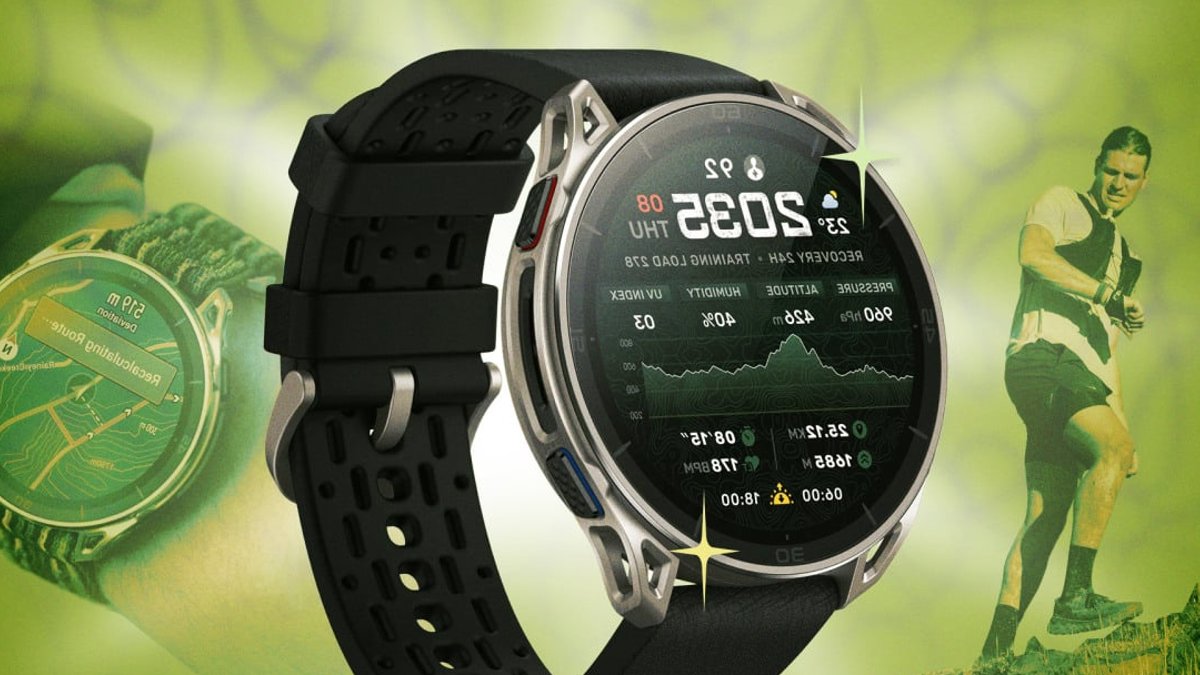
The Amazfit Cheetah 2 Ultra commands a $599.99 price tag, positioning it as a premium option in a lineup better known for budget-friendly wearables. While the cost may raise eyebrows, the watch offers a suite of capabilities that appeal to serious trail runners seeking durability and advanced data.
Unlock hidden developer mode for deeper insight
Most users never discover that the Zepp app contains a concealed developer menu. To access it, open the app, tap Profile → Settings → About, then tap the Zepp logo seven times. This action activates developer mode, exposing device information and debugging tools not visible in the standard interface. The feature does not alter hardware, but it does let owners examine firmware versions and troubleshoot sync problems more thoroughly.
Developer mode also permits the installation of custom watch faces. After creating a design on a computer, users generate a QR code, scan it with the watch, and the new face appears instantly. This flexibility can be useful for athletes who prefer specific data layouts or branding.
Related: Top 10 Movies Streaming Right Now
Color‑coded elevation preview for steep climbs
Trail runners often struggle to interpret raw elevation graphs before a race. The Cheetah 2 Ultra mitigates this by providing a color‑coded elevation overview that highlights slope difficulty across a planned route. To use the feature, users create a route in the Zepp app, sync it to the watch, and launch Trail Run mode. Within the watch’s Settings → Navigation menu, selecting “My Route” reveals the colored elevation profile.
During an active run, the elevation screen can be added as a data page. By going to Workout → Outdoor Running, then Settings > More > Data Page, runners can assign elevation to a page or add a new one. The visual cue helps athletes anticipate challenging sections before they arrive, reducing surprise fatigue. The data still originates from the same GPS calculations, merely presented differently.
Enhanced flashlight modes for safety and visibility
The built‑in flashlight on the Ultra offers more than a single white beam. Options include white, red, SOS, and a boost mode for maximum brightness. To activate, press and hold the top‑left button, then use the up or down buttons to cycle through the settings. The red light is less blinding for night runs, while the SOS mode flashes a universal distress signal.
Related: Samsung TV Discounted by 160 Dollars
Boost mode proves handy when scanning a dark trail or signaling to a partner. Users can also access the flashlight quickly by swiping down from the watch face to open the Control Center and tapping the flashlight icon.
The combination of developer access positions the Amazfit Cheetah 2 Ultra as a versatile tool for trail athletes. While the price remains high, the expanded functionality may justify the investment for those who value independent navigation and data customization.

Top 10 Movies Streaming Right Now


